How it works

About the process

A modern building produces large amounts of operational data.

CX2 collects data from the building's technical systems, stores it locally, and describes what it means.

The same data can then be used for analyses, dashboards, reports, AI and other tools.

01The whole chain

From the building's systems to the finished analysis.

Data comes from many technical systems, is collected on an edge server in the building and described so that people and software alike can understand it. Only then does it become usable for analyses, reports and other tools.

The next eight steps look more closely at each link in the chain.
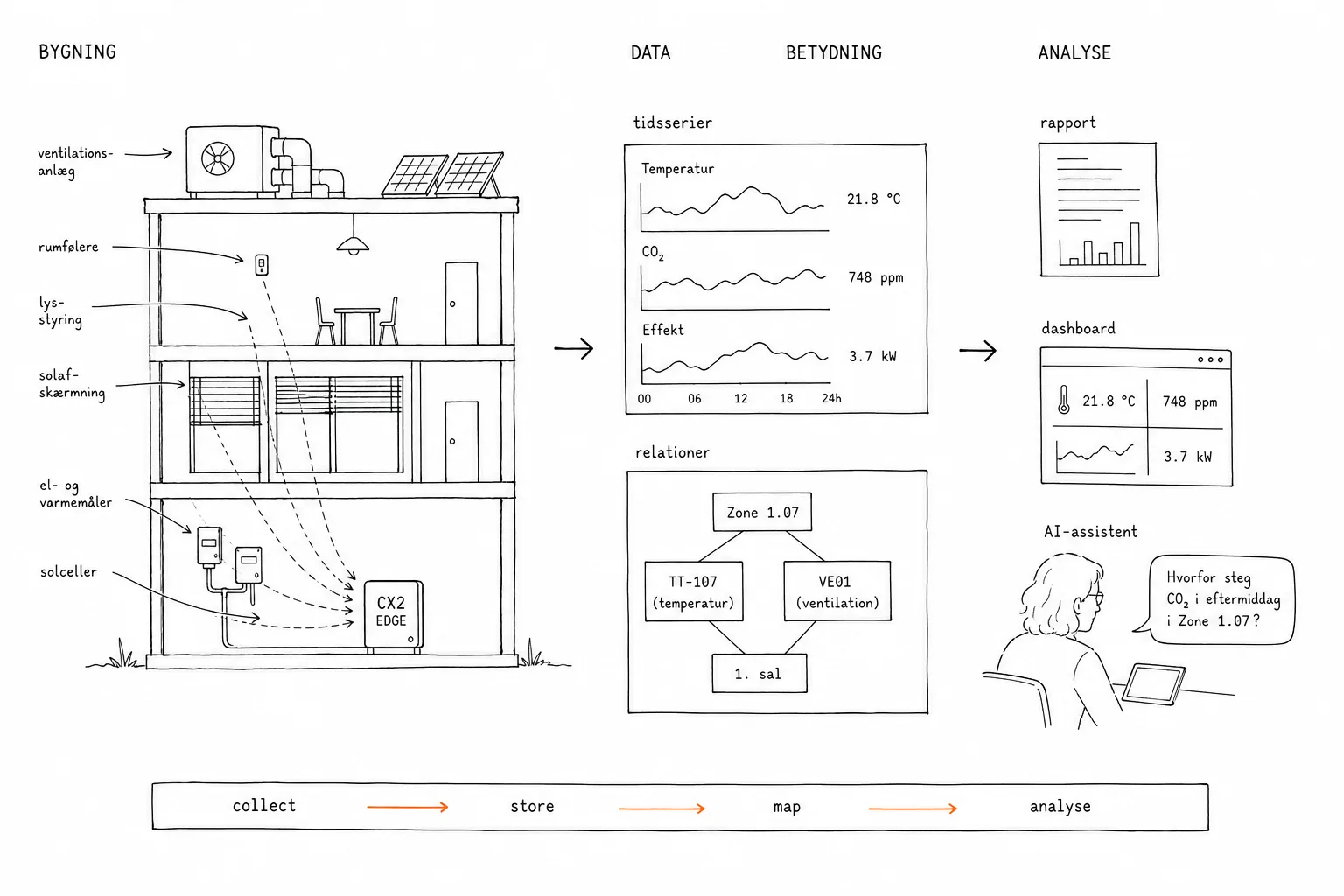
Hand-drawn overview in three zones: the building with its technical systems on the left, the CX2 edge server in the middle with time series and relations, and on the right the outputs: report, dashboard and AI assistant. At the bottom, the system line: collect, store, map, analyse.Tap for full size

02Data comes from many places

One building. Many systems. One shared data foundation.

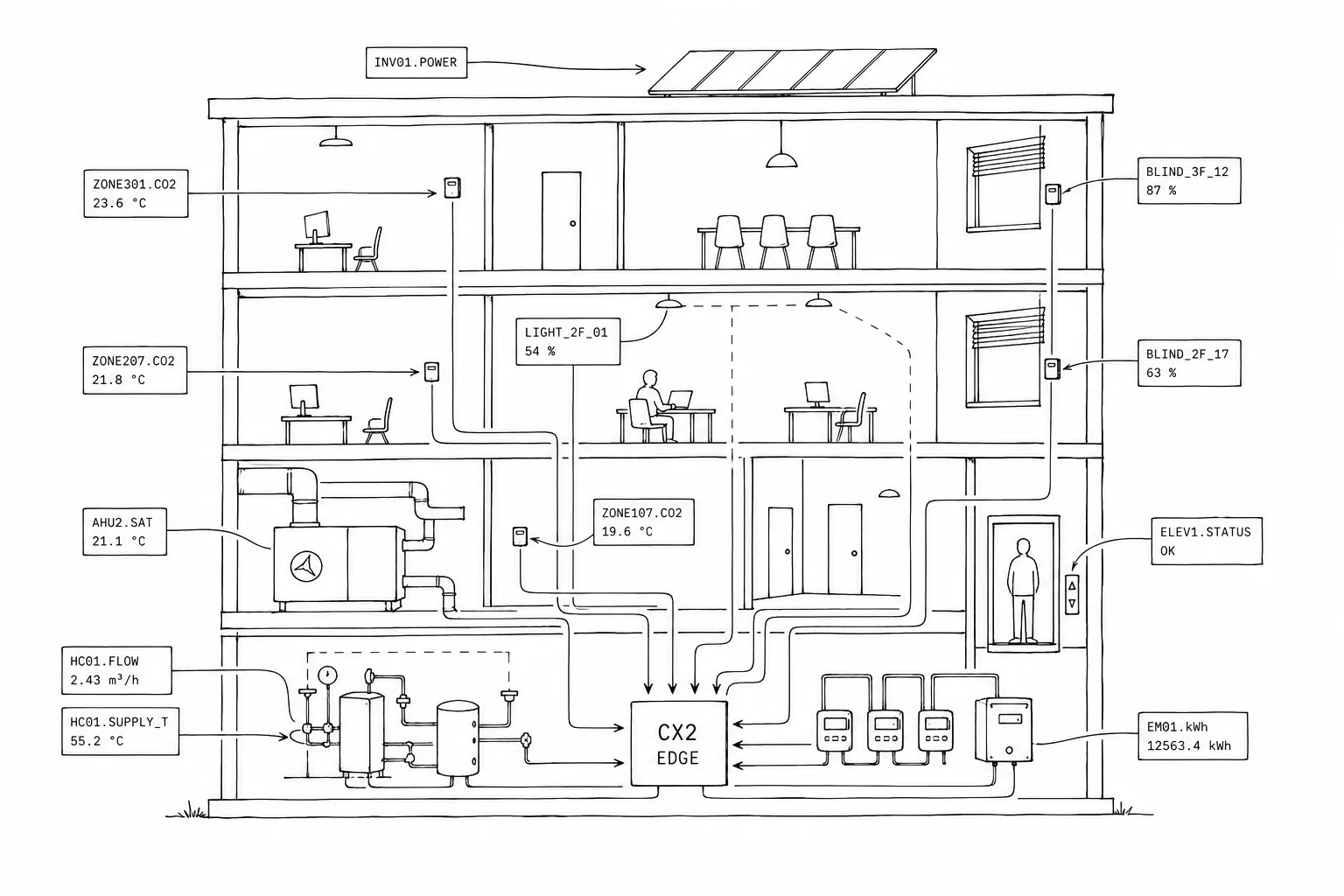
Ventilation, heating and cooling are often gathered in the BMS, the building management system, while lighting control, solar shading, energy meters, solar panels, elevators and other technical systems may live in systems of their own.

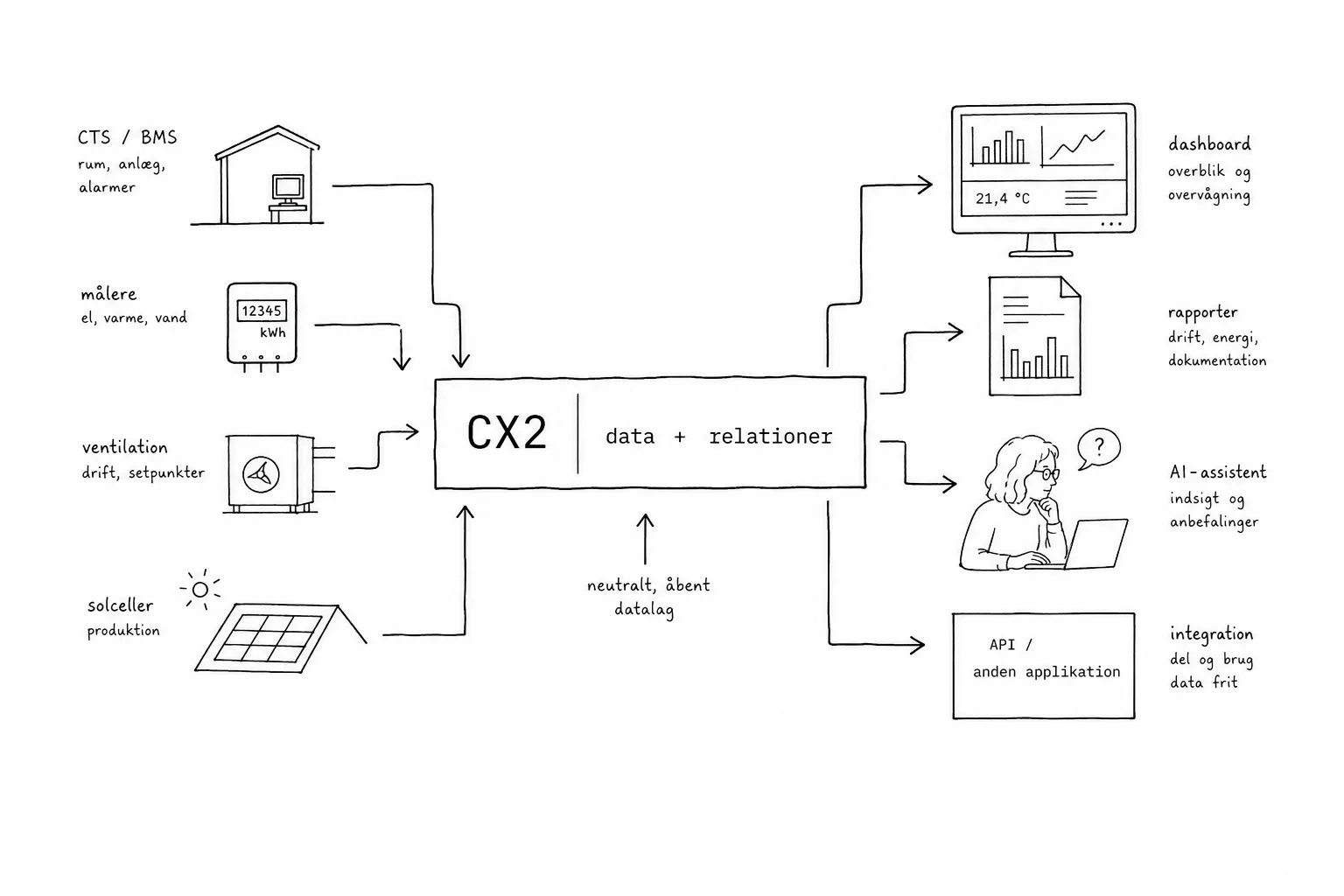
CX2 is a shared data layer where data from different technical systems is brought together and used across them.

Technology: protocols →
Hand-drawn section through a building with ventilation, heating, room sensors, lighting control, solar shading, energy meters, solar panels and an elevator. Each data source carries realistic machine-set tags such as VE01-TT-401 and ZONE107.CO2, all connected by lines to the CX2 edge server in the plant room.Tap for full size

03Data is stored locally

The building owner should own and control their own data.

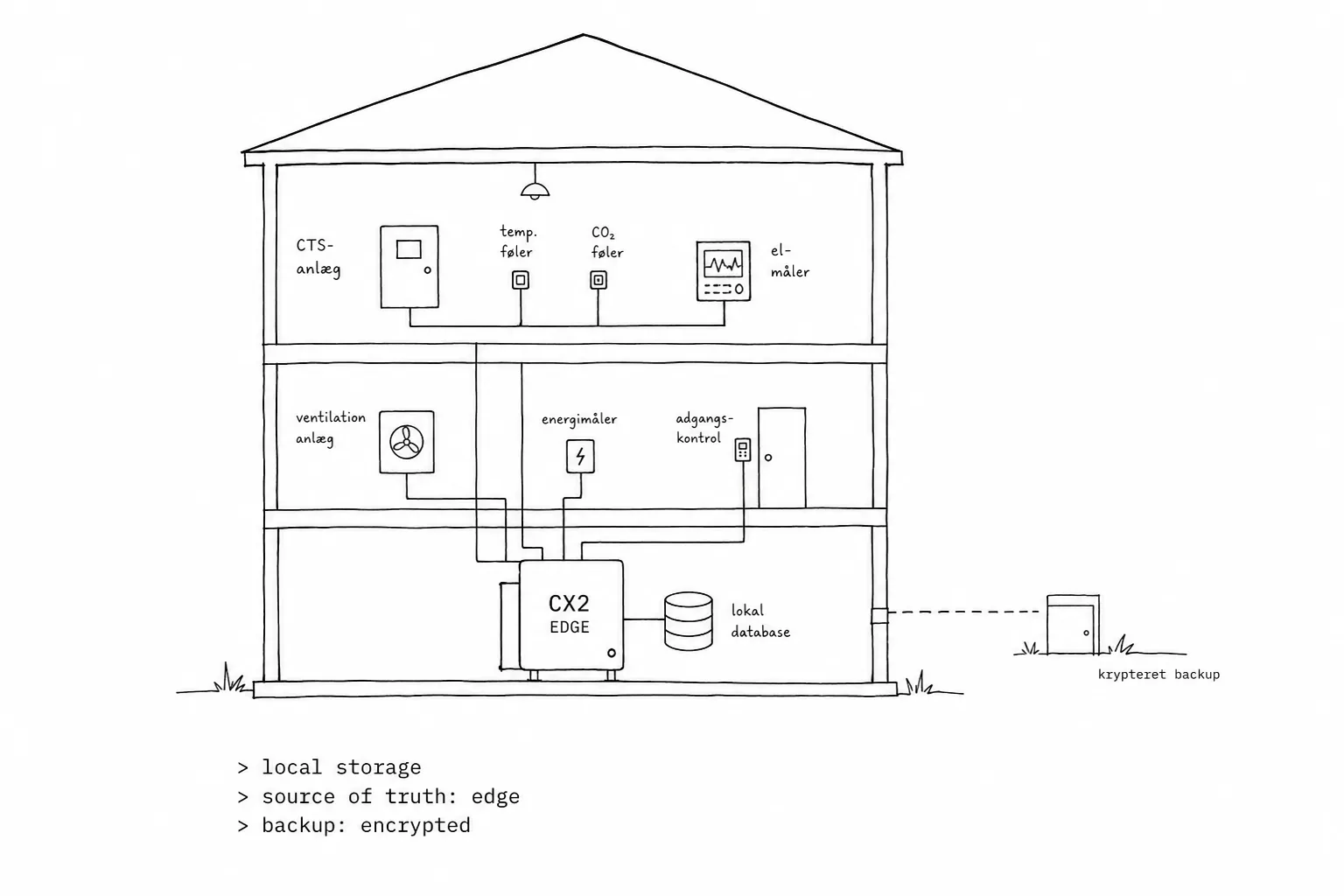
CX2 is built around an edge server located at the building.

Operational data is stored here in a local time-series database, so the building owner has access to their own historical data without depending on an external cloud service.

Technology: edge server and architecture →
Hand-drawn building in section where BMS, meters and other systems connect to a CX2 edge server with a local database inside the building. Only one dashed line leaves the building, labelled encrypted backup, to a small external destination. System text: local storage, source of truth: edge, backup: encrypted.Tap for full size

04Data must also be understandable

Access to data is not enough.

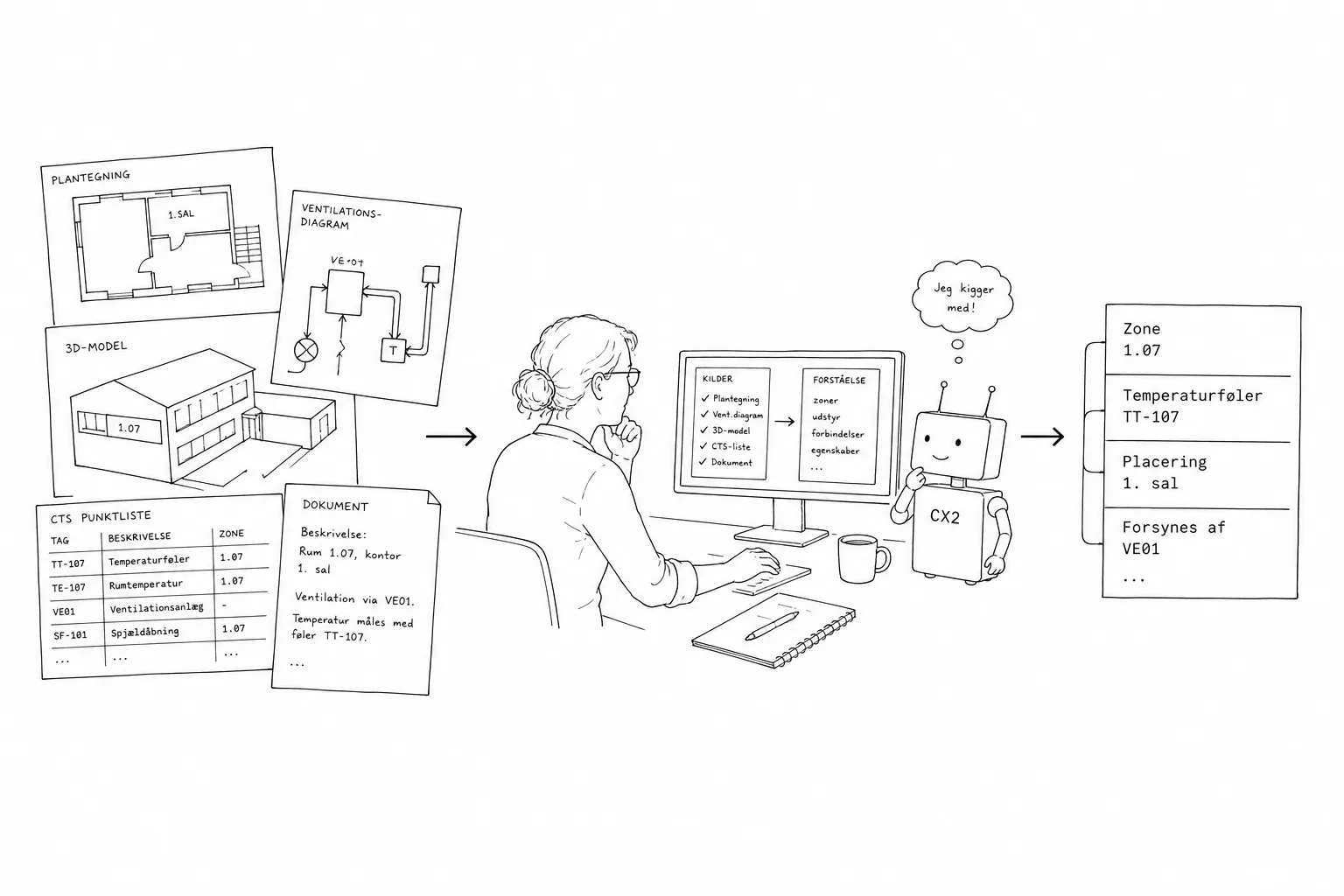
VE01-TT-401 is clear to the person who knows the system's structure and naming. Outside the original system, that knowledge is often missing.

That is why CX2 links the data points to their physical and functional context in the building. It draws on technical diagrams, floor plans, 3D and IFC models, point lists, specifications and the structure of the building management system itself.

Technology: IFC and building models →
Hand-drawn story: on the left a floor plan, diagram, 3D model and point list; in the middle a professional at a computer together with a small simple robot; on the right the result as understandable information: zone 1.07, temperature sensor TT-107, 1st floor, supplied by VE01.Tap for full size

05The building is described as relations

The semantic model is the building's table of contents.

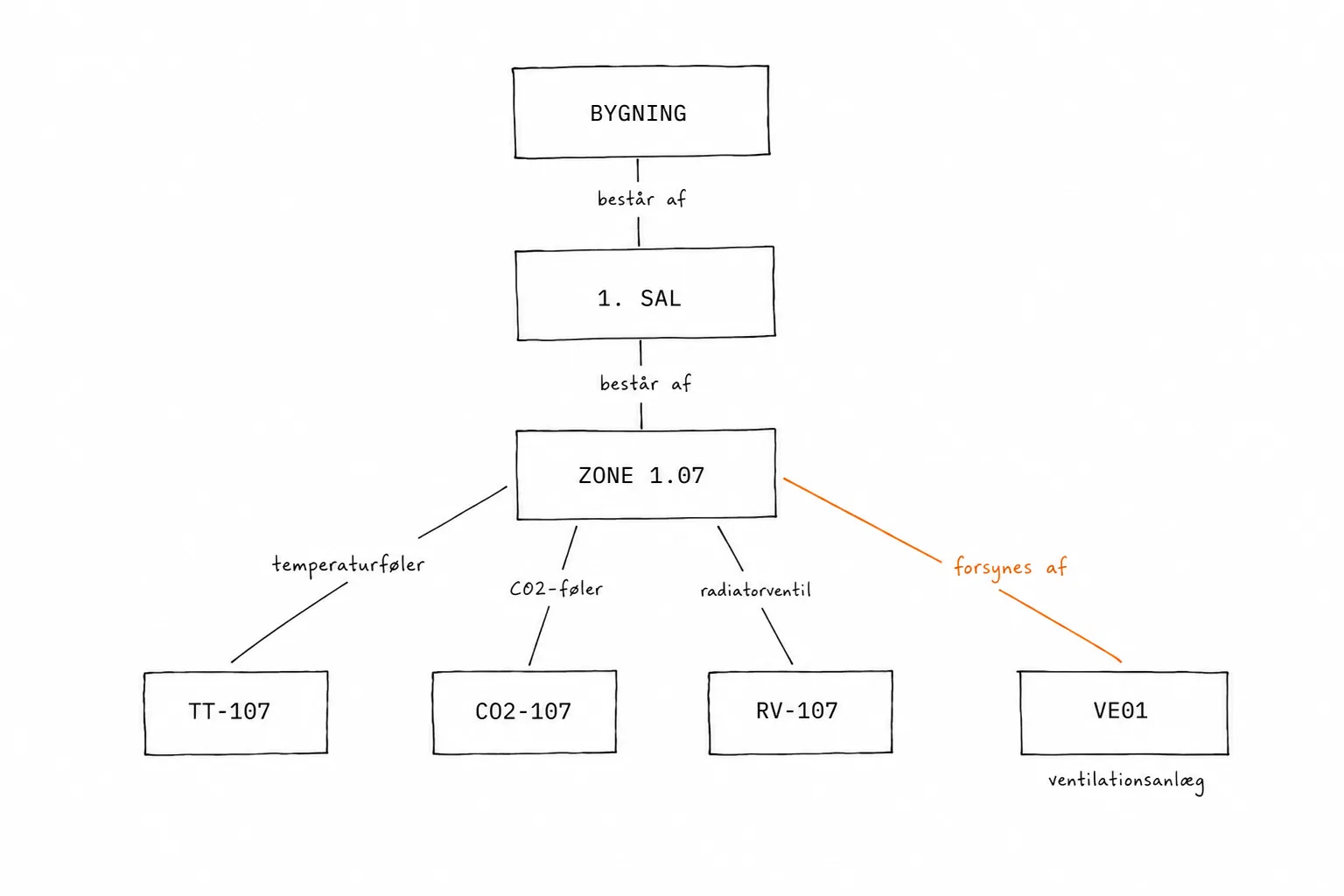
A room is on a floor. A sensor measures the temperature in the room. An air handling unit supplies the room. A valve belongs to a specific heating system.

The semantic model lets analyses and software work with the meaning of the data rather than just the original point names.

Technology: semantic modelling with Brick Schema →
Large hand-drawn relation model: building, 1st floor and zone 1.07, with relations to temperature sensor TT-107, CO2 sensor, radiator valve and the air handling unit VE01. The relation supplied-by is highlighted in orange.Tap for full size

06Time series plus meaning

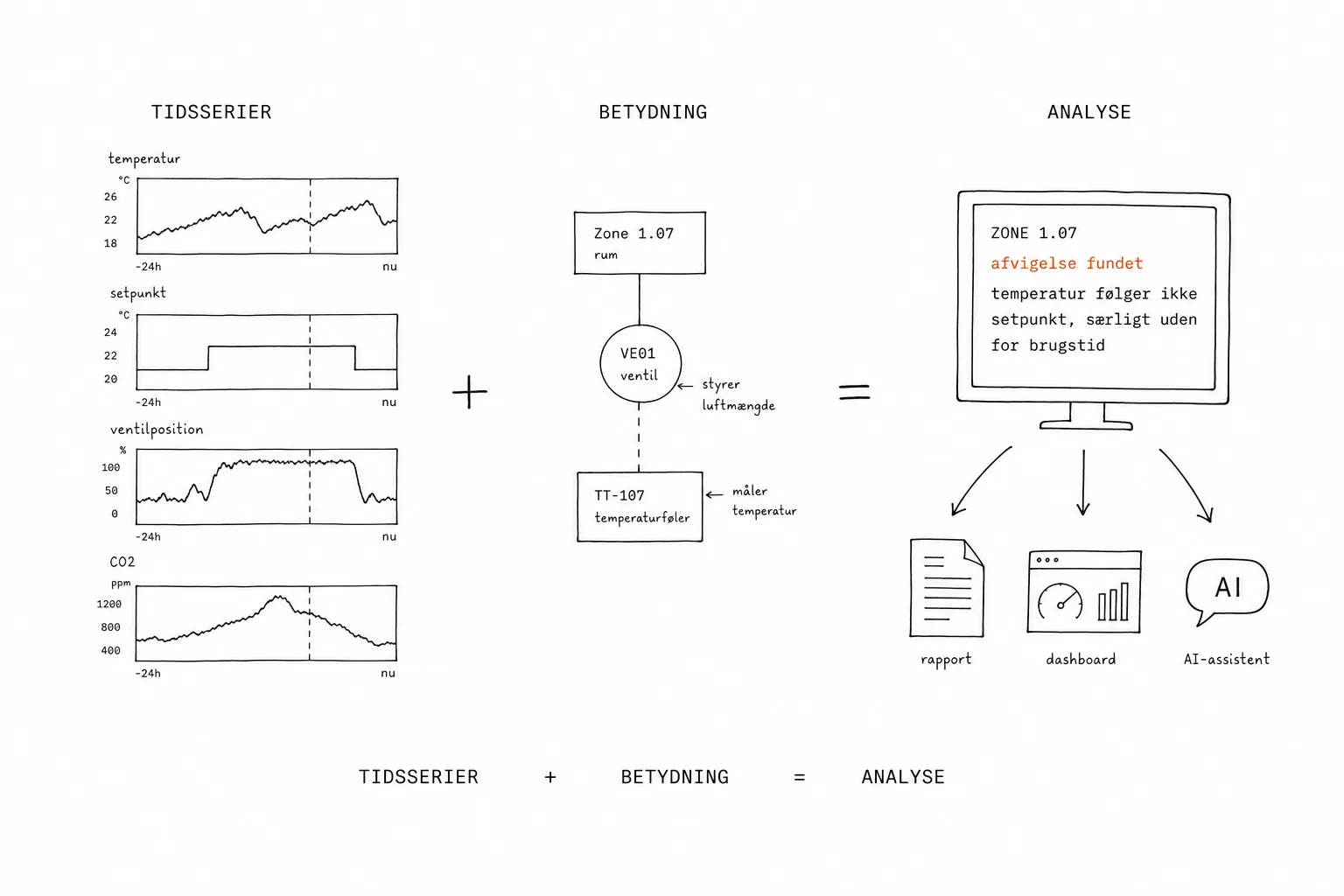
Time series tell you what happened. The model tells you what it means.

Used together, the same analysis can be applied to many rooms, zones and systems without first manually translating every single BMS tag.

That makes it possible to automate analyses that otherwise require extensive manual work.

Visual formula: time series plus meaning equals analysis. On the left small curves for temperature, setpoint, valve position and CO2; in the middle the relations between zone 1.07, VE01 and TT-107; on the right a result panel: zone 1.07, deviation found, temperature does not follow setpoint, especially outside occupancy hours, with arrows on to report, dashboard and AI assistant.Tap for full size

07Test the whole building

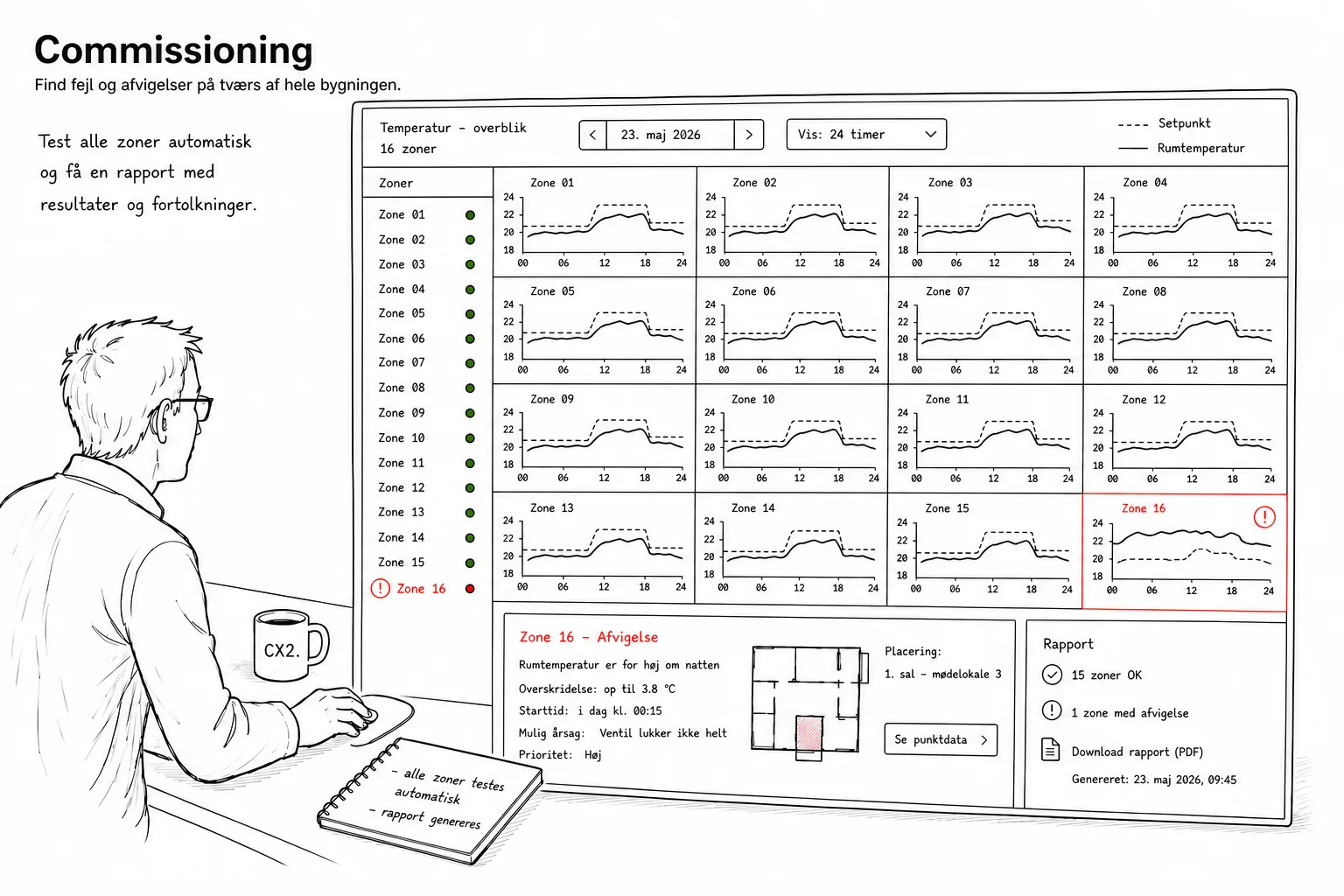
From spot checks to a systematic check of the whole building.

When the system knows which points belong to which rooms, zones and systems, the same check can be run automatically across the building.

That makes it possible to go from spot checks to systematic verification of all relevant zones.

See more use cases →
Hand-drawn commissioning illustration: a technician reviews a temperature overview of 16 zones where 15 follow the setpoint and zone 16 is flagged in red, with a summary and a report option.Tap for full size

08Same data. Multiple uses.

Data is not tied to one particular tool.

Once data is collected, historised and described, it does not have to be tied to one particular user interface.

  • automated analyses
  • reports
  • dashboards
  • AI assistants
  • external applications and integrations
See use cases →
CX2 drawn as a neutral data layer in the middle with data and relations. Arrows come in from the building's systems on the left, and arrows go out to dashboard, report, AI and API or other applications on the right.Tap for full size

09Your data stays yours

Data ownership is a core principle of CX2.

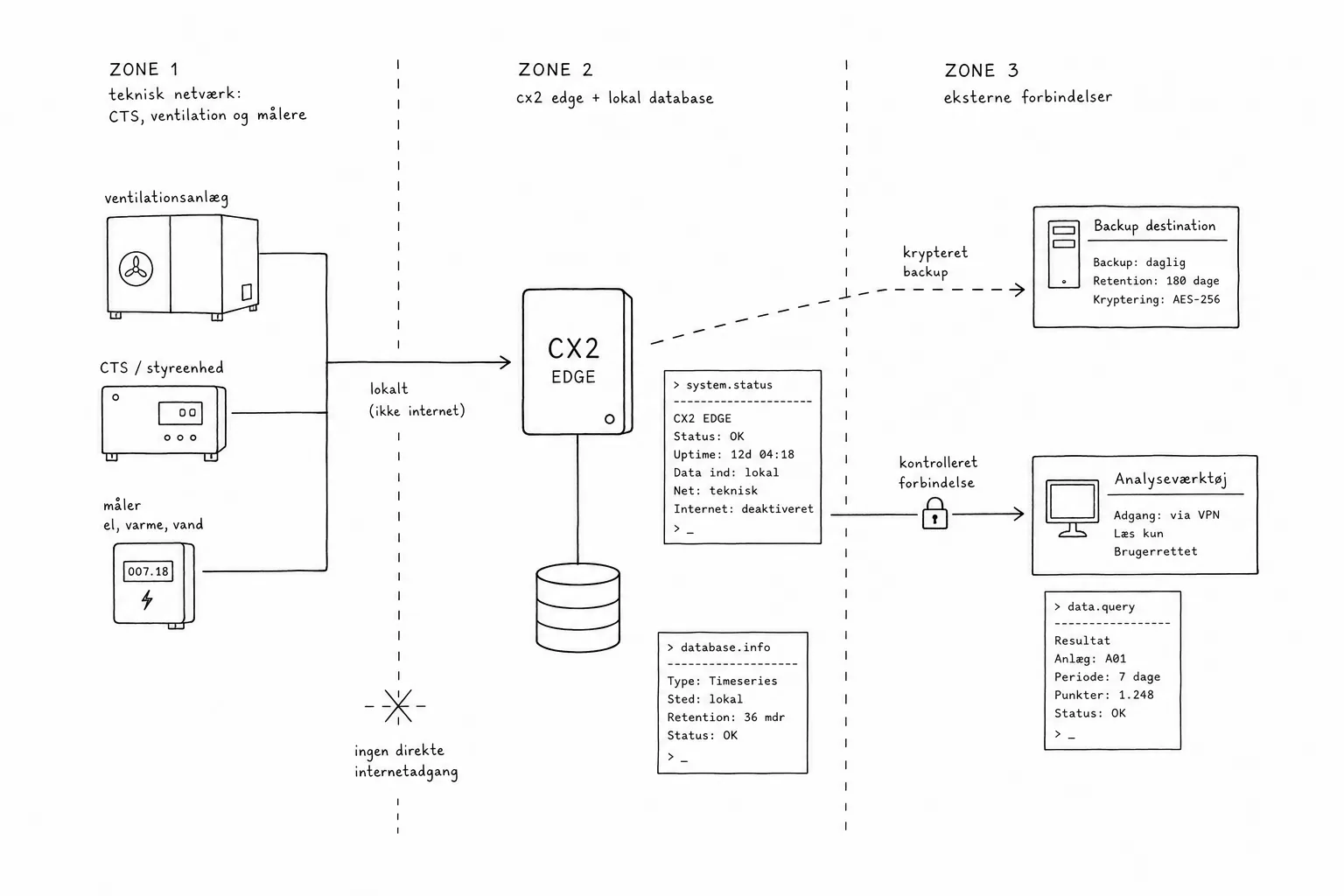
Data ownership is a core principle of CX2. The building owner keeps operational data locally and stays in control of how it is used. CX2 is meant to reduce dependency on vendors, not create a new one.

That is why the architecture is transparent: where the data lives, which connections leave the building, who has access, how backup works, how analysis and AI tools get access, and how data is kept separate from critical building automation.

Technology: technical network →
Security and data flow diagram in three zones: the technical network, CX2 edge with local database, and external connections. Local data flows are solid lines, encrypted backup is dashed, and the technical network is not directly exposed to the internet.Tap for full size