Use cases

About the examples

Most buildings already measure plenty. Even so, very few of the figures are used, and the reason is rarely the technology. It is that they sit in separate systems, described in separate ways, so gathering what a single analysis needs takes days.

Once the data is collected in one place, described so software can see what each point measures, and accessible without anyone fetching it by hand, that work falls away. An analysis that used to cost a week can be done in an afternoon. Or run by itself every month.

The nine examples here are of that kind. Several can be done on what the building already measures, others assume sub-meters or sensors in the rooms. CX2 does not perform them all itself. CX2 is the data foundation that makes them possible, with CX2's own tools or with the ones you already use, which is also why the list is not exhaustive.

The screens are illustrations with fictional numbers, not screenshots from the system. The examples show functions and analyses that can be built on the CX2 data foundation. The actual selection depends on the installation and its use. Illustration text is in Danish; English versions will follow.
Operation and fault finding

01Commissioning

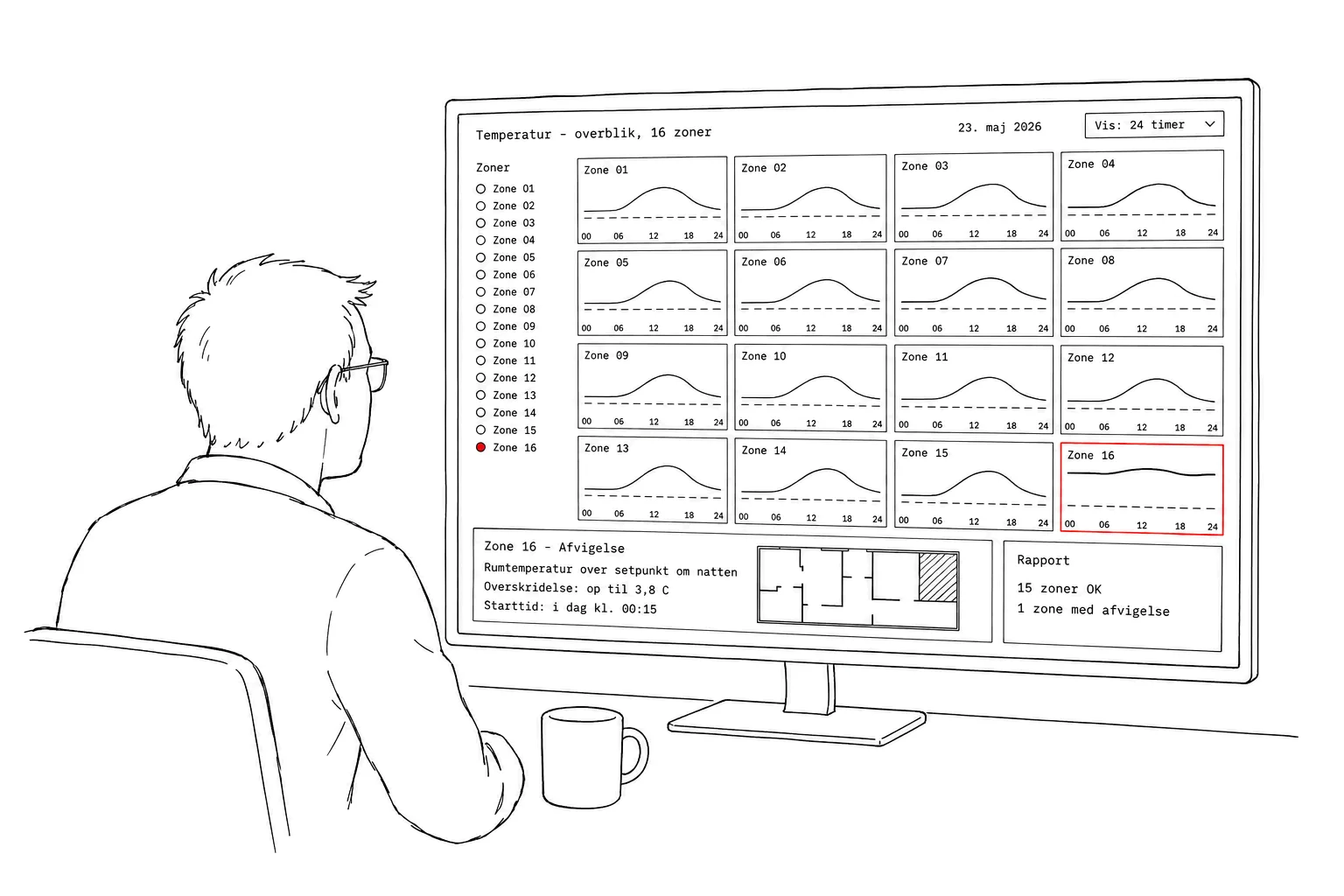
Find faults and deviations across the whole building.

Challenge
Faults in individual zones are only noticed when the users complain.
Data
Room temperature and setpoint for all 16 zones, around the clock.
Result
Zone 16 is too warm at night. Likely cause: a valve that does not close fully. The report is produced automatically.
Hand-drawn man at a desk, labelled in Danish, looking at a wide screen with a temperature overview of 16 zones. Sixteen small charts, one per zone, show room temperature and a dashed setpoint over the day. Zone 16 is outlined in red and its curve stays high all night. At the bottom a panel: zone 16, deviation, room temperature above setpoint at night, exceeding by up to 3.8 degrees, starting today at 00:15, and a report panel with 15 zones OK and 1 zone with a deviation.Tap for full size

Operation and fault finding

02Operations dashboard

One glance, and you know whether the building is doing well.

Challenge
The operational status is spread across several systems and screens.
Data
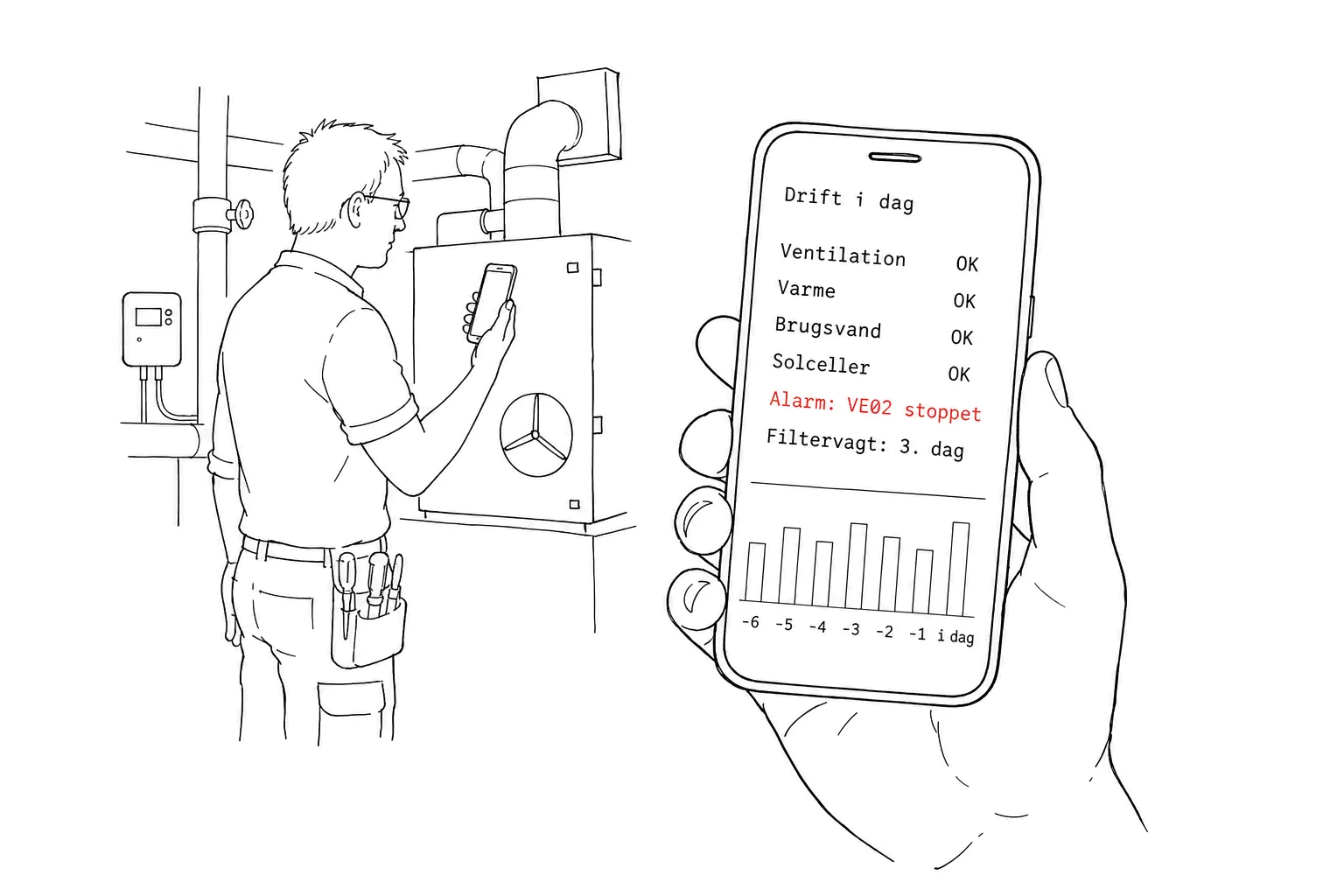
Status from ventilation, heating, domestic hot water and solar panels gathered in one place.
Result
The technician sees the day's operation on their phone: one alarm and a filter warning on its third day.
Hand-drawn technician in a plant room beside an air handling unit, labelled in Danish, holding up a phone. The screen shows the day's operation: ventilation, heating, domestic hot water and solar panels are OK, while a red line reads alarm, VE02 stopped, and the line below reads filter warning on its third day. At the bottom a small bar chart of the past week.Tap for full size

Energy and economy

03Energy optimisation

Run the systems to demand, not to habit.

Challenge
The systems run to fixed schedules rather than to demand.
Data
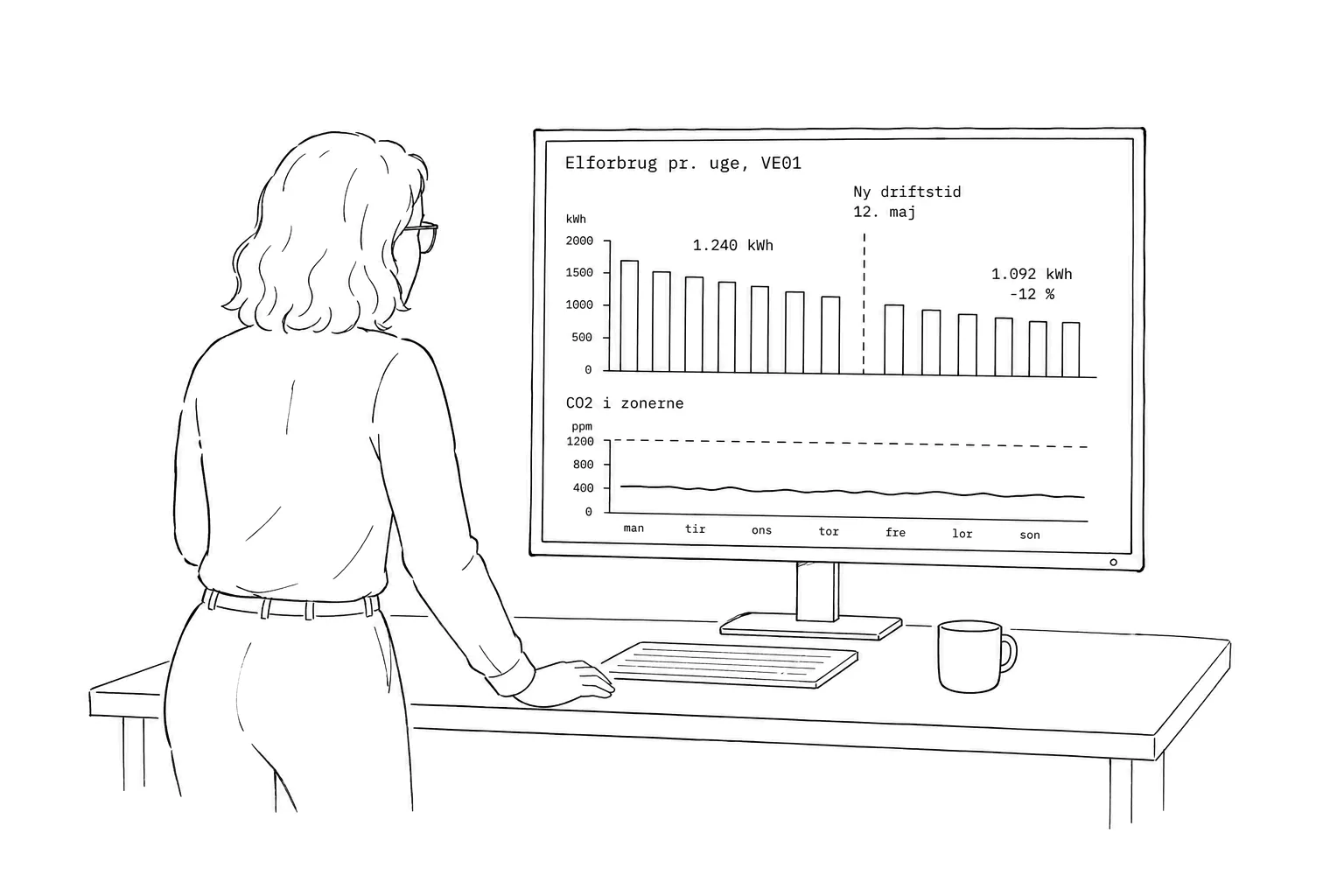
Weekly electricity use for the air handling unit and CO₂ in the zones.
Result
New operating hours from 12 May: consumption falls from 1,240 to 1,092 kWh per week. CO₂ stays below 900 ppm.
Hand-drawn woman seen from behind at a desk, labelled in Danish, looking at a screen with a bar chart of weekly electricity use for the air handling unit VE01. A dashed vertical line marks new operating hours from 12 May. The bars left of the line are at 1,240 kWh, those to the right at 1,092 kWh, twelve per cent lower. Below it a flat curve of CO2 in the zones.Tap for full size

Energy and economy

04Cost allocation

Split the consumption between tenants, automatically.

Challenge
The consumption is allocated between the tenants by hand.
Data
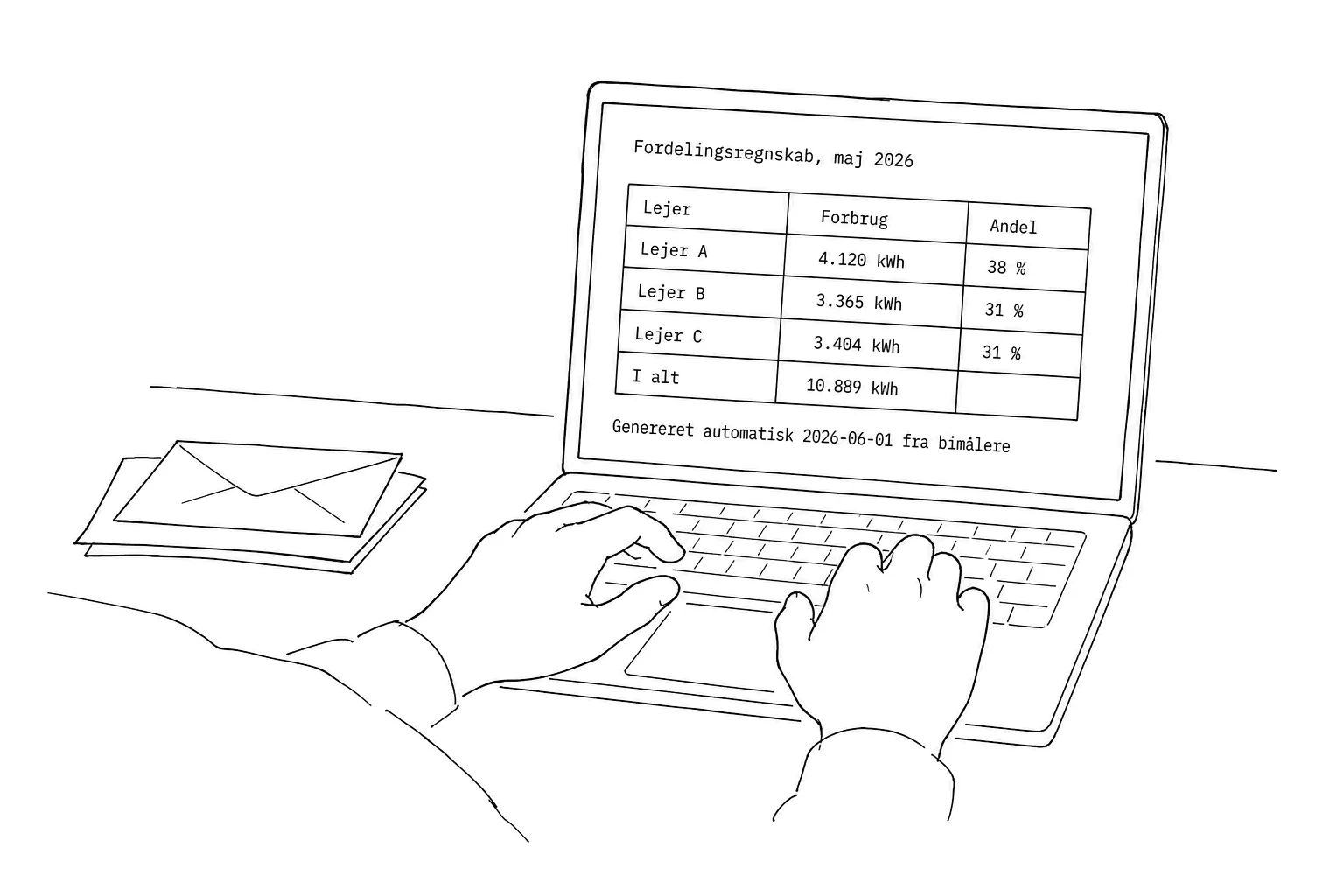
Readings from sub-meters for each tenant.
Result
The table of consumption and shares is generated automatically on the first of the month.
Hand-drawn close-up of two hands on a keyboard with a stack of envelopes beside them, labelled in Danish. The laptop screen shows a cost allocation for May 2026: a table of three tenants' consumption and shares, 10,889 kWh in total, and a line saying it was generated automatically on 2026-06-01 from sub-meters.Tap for full size

Energy and economy

05ESG reporting

Document the climate footprint with measured figures.

Challenge
The climate reporting rests on estimates.
Data
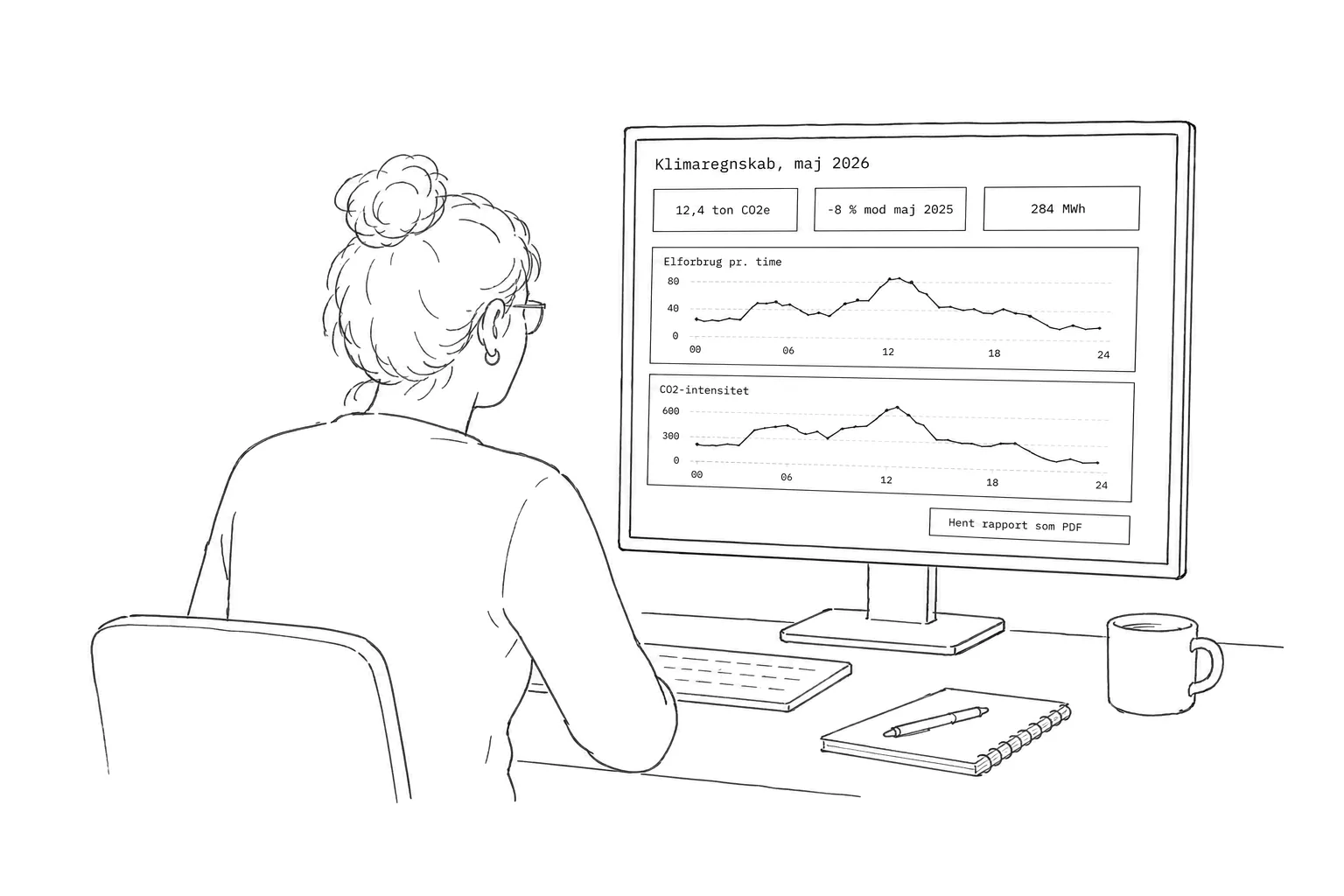
Electricity use and CO₂ intensity hour by hour.
Result
May is 8 % below the same month last year. The monthly report is downloaded as a PDF.
Hand-drawn woman seen from behind at a screen with a climate account for May 2026, labelled in Danish. At the top three key figures: 12.4 tonnes CO2e, 8 per cent below May 2025, and 284 MWh. Below them two curves over the day, electricity use per hour and CO2 intensity, and at the bottom a button to download the report as a PDF.Tap for full size

Indoor climate and use of the building

06Indoor climate analysis

Verify the indoor climate requirement for the whole building at once.

Challenge
The indoor climate requirement is verified room by room, if at all.
Data
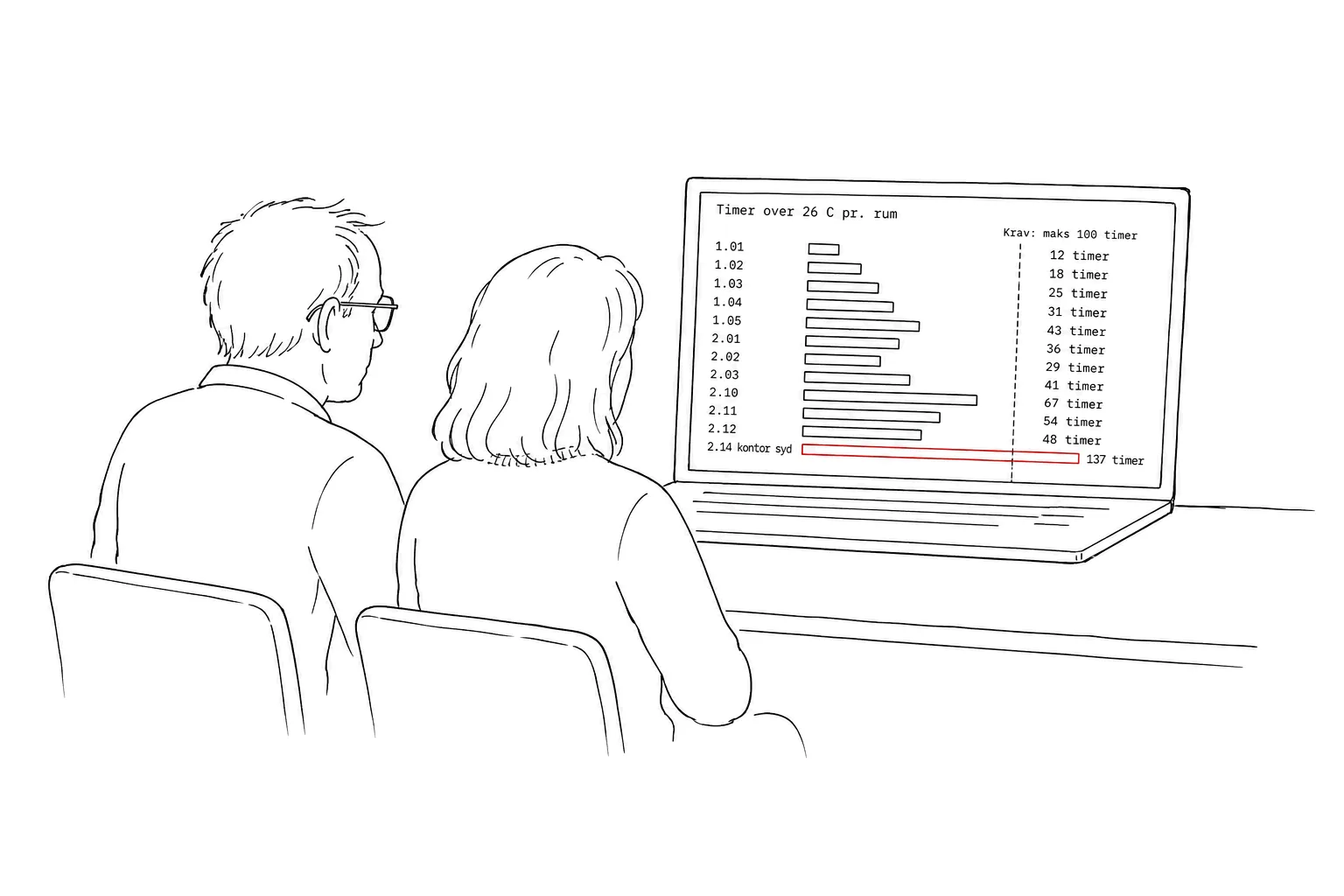
Hours above 26 °C per room against the limit of at most 100 hours per standard year.
Result
One south-facing office is at 137 hours. Every other room meets the requirement.
Hand-drawn pair of people looking together at a laptop, labelled in Danish. The screen shows hours above 26 degrees per room as horizontal bars with room numbers. A dashed vertical line marks the limit of at most 100 hours. Every bar but one stays below it; room 2.14, a south-facing office, is marked in red at 137 hours.Tap for full size

Indoor climate and use of the building

07Space utilisation

Are the rooms actually being used?

Challenge
Nobody knows whether the rooms are actually being used.
Data
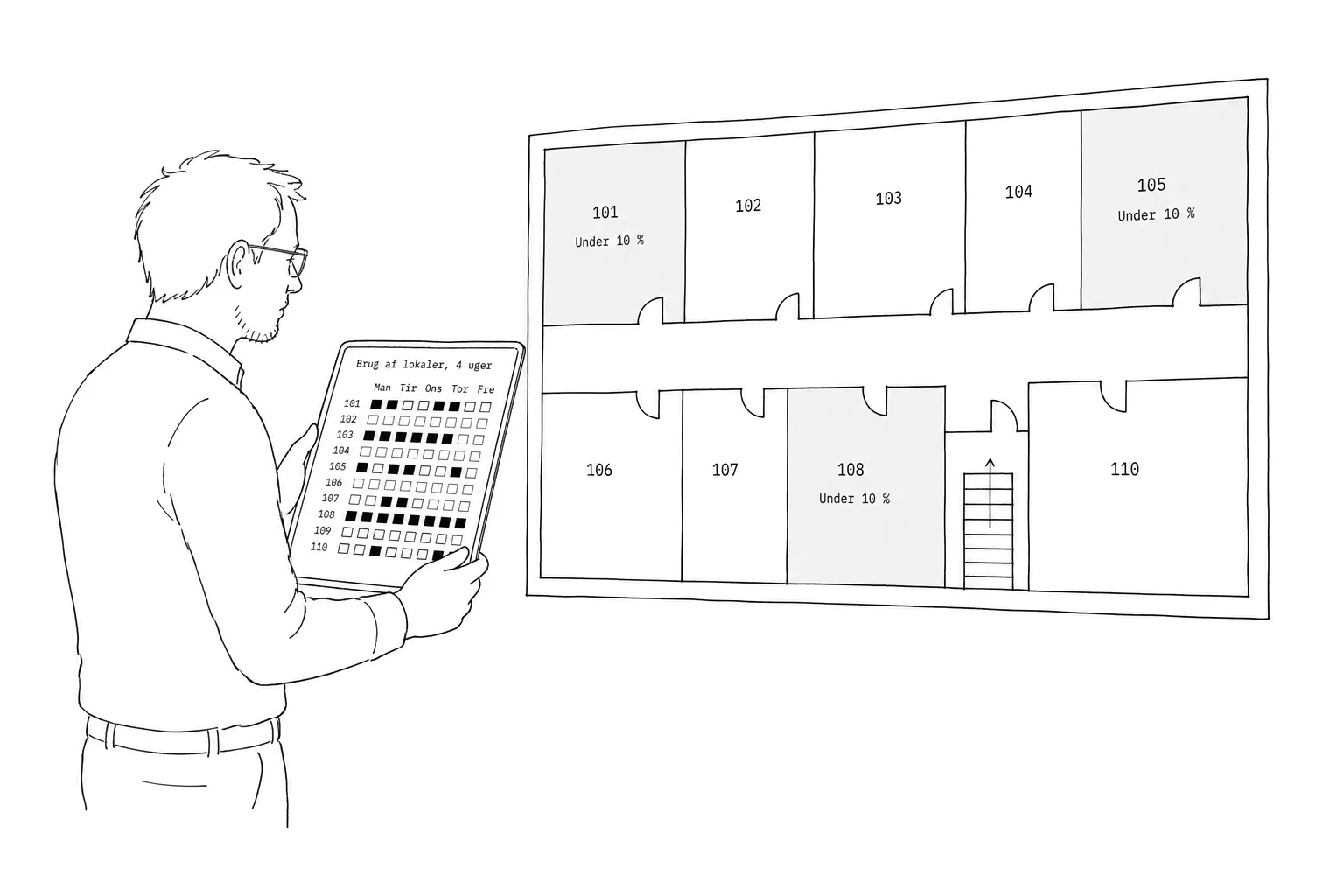
Patterns of use from CO₂ sensors laid over the floor plan.
Result
Three meeting rooms are in use less than 10 % of the time.
Hand-drawn man with a tablet in front of a large floor plan on the wall, labelled in Danish. The floor plan shows about ten rooms with numbers, three of them hatched and marked under 10 per cent. The tablet shows room use over four weeks as a grid of squares, light where the room is empty and dark where it is in use, with the weekdays along the top.Tap for full size

Communication and learning

08Information screens

Show the building's figures to the people who use it.

Challenge
The people who use the building never see its figures.
Data
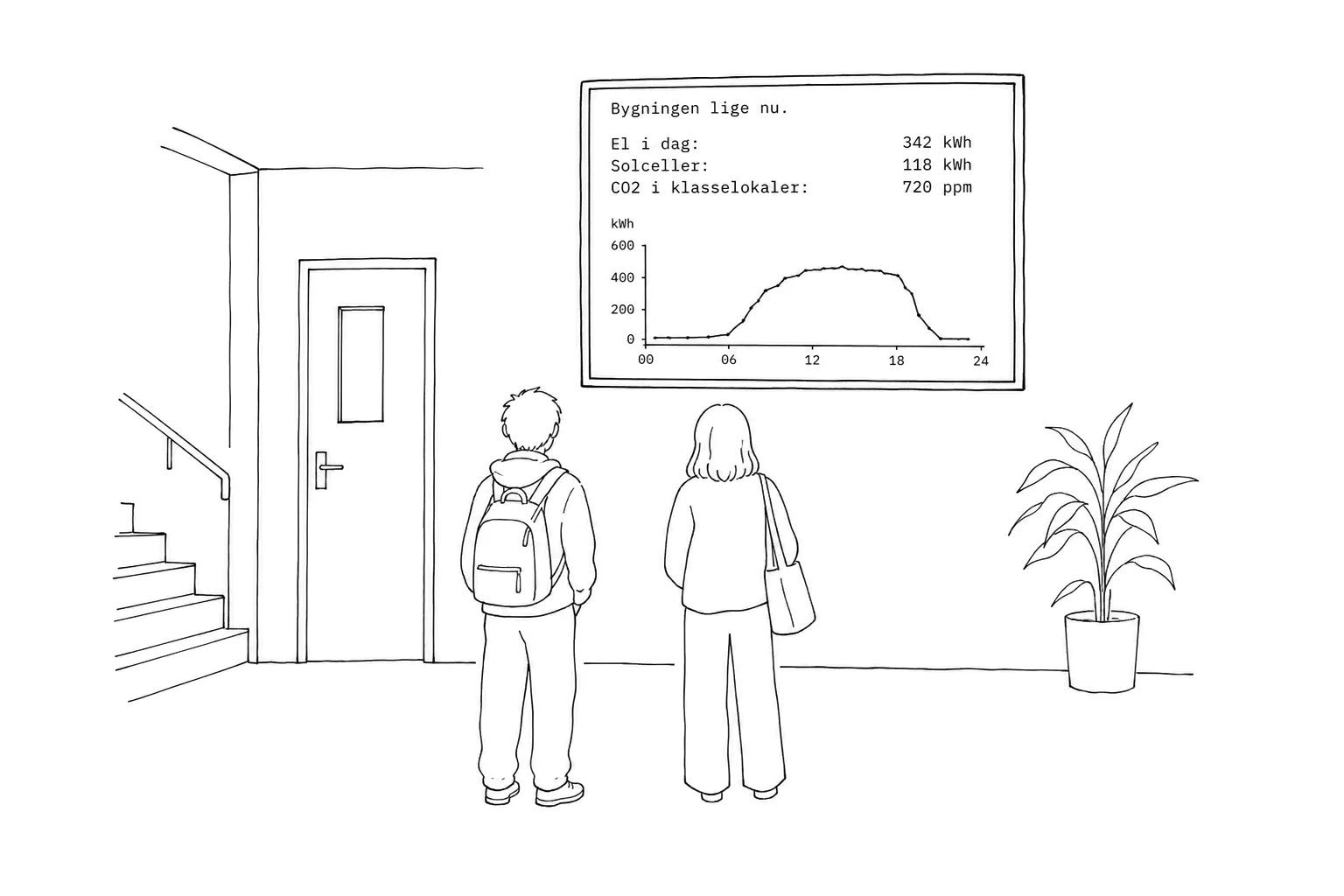
The day's electricity use, solar production and CO₂ in the classrooms.
Result
The figures are shown continuously on a screen in the foyer.
Hand-drawn foyer where two students seen from behind look up at a screen on the wall, labelled in Danish. The screen shows the building right now: electricity today 342 kWh, solar 118 kWh and CO2 in the classrooms 720 ppm, with a curve of the day's electricity use below. A door and a staircase to the left, a potted plant to the right.Tap for full size

Communication and learning

09Teaching

Real data from the students' own building in the classroom.

Challenge
Teaching relies on made-up examples.
Data
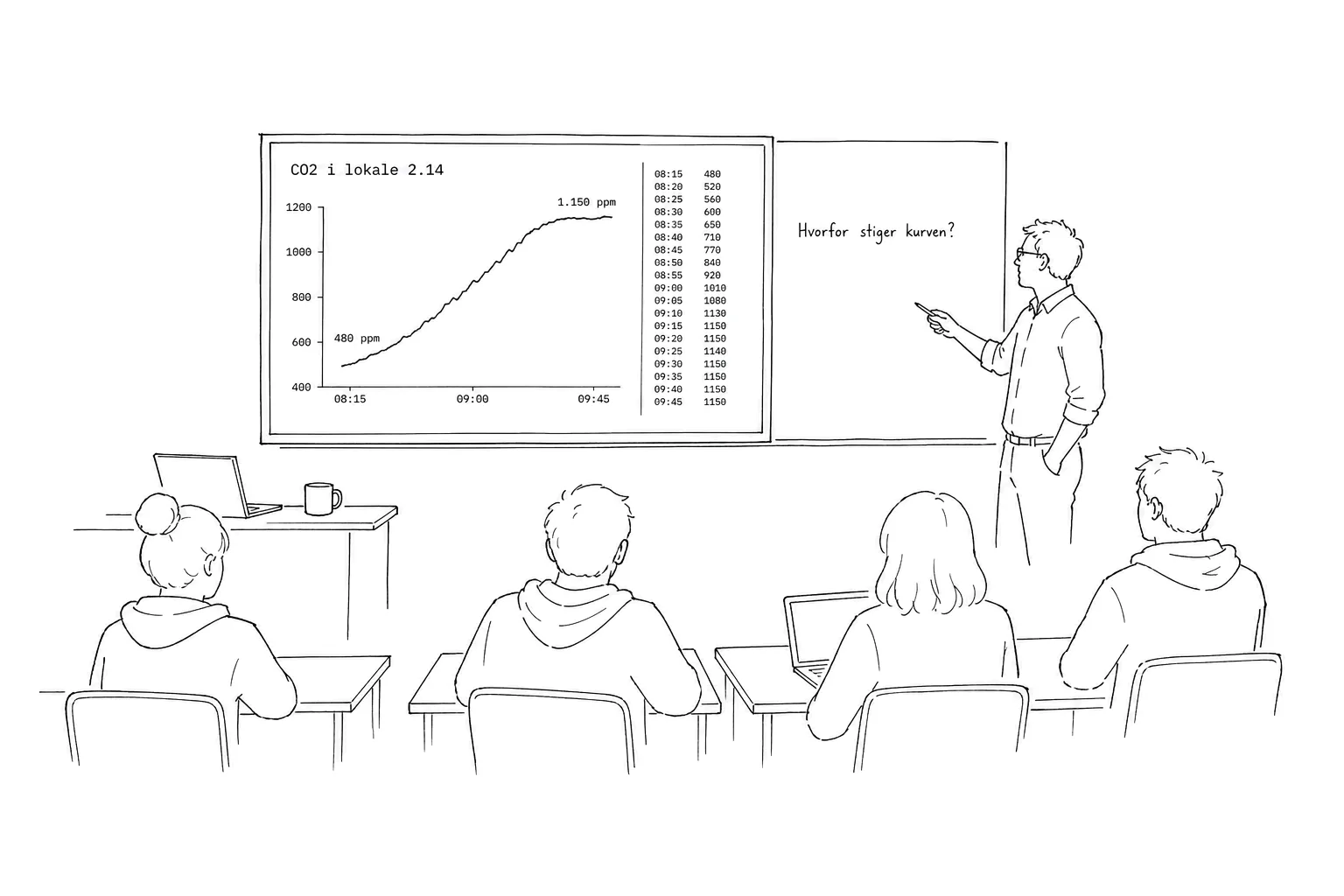
The room's own CO₂ curve and the raw data points.
Result
The students watch CO₂ rise in their own classroom and ask why.
Hand-drawn classroom seen from the back over a few students, labelled in Danish, with a teacher standing beside a large screen. The screen shows CO2 in room 2.14 as a curve rising from 480 ppm at 08:15 to 1,150 ppm at 09:45, with the raw data points in a narrow column beside it. On the blackboard a question: why is the curve rising?Tap for full size